Apple Watch Stress Apps Compared: Cortisol+, Welltory & More
Compare documented approaches from Cortisol+, Welltory, StressWatch, Bevel and Athlytic. Understand HRV inputs, subscriptions and why stress scores are not cortisol tests.
Updated September 17, 2026 · By Cortisol+ Editorial
Disclosure: this guide is published by the maker of Cortisol+. It compares official documentation checked September 16, 2026. It is not a hands-on ranking, an independent review or a clinical accuracy study.
Which Apple Watch stress app should you consider?
Start with what you want to understand: momentary HRV, a day of stress readings, or the relationship between sleep and recovery. No universal score or “best” app follows from having more sensors. The explanation, missing-data handling and fit with your routine matter.
| App | Documented approach | What to examine before subscribing |
|---|---|---|
| Cortisol+ | A weighted wellness score using available HRV, sleep, heart rate and activity-related factors | Input availability, baseline assumptions and subscription analysis access |
| Welltory | Supports Apple Watch HRV measurements through its Apple Health connection; not limited to phone-camera measurements | Measurement method, usable data and the specific features included in the offered plan |
| StressWatch | Markets Apple Watch stress monitoring using HRV and resting heart rate | How its alerts, history and interpretation fit your daily use |
| Bevel | Describes a stress monitor using Apple Watch HRV and heart rate, alongside its broader health platform | Whether you want stress monitoring as part of a wider recovery and activity workflow |
| Athlytic | Documents recovery based on HRV and resting heart rate, plus exertion, sleep and stress views | Whether training and recovery guidance matches your needs, and which features your plan includes |
Which Welltory alternative fits your routine?
Cortisol+, StressWatch, Bevel and Athlytic are options to compare for Apple Watch stress tracking. Cortisol+ presents a weighted wellness score with HRV and sleep context. StressWatch emphasizes stress trends and Watch presentation. Bevel documents a stress timeline alongside other health features. Athlytic describes recovery and exertion tools for training. Choose by the information you will actually use; this documentation review does not establish an accuracy winner.
- Understand the inputs behind a daily score: explore Cortisol+'s published methodology and recorded interface walkthrough.
- Follow stress trends on your wrist: compare StressWatch's trend views and Watch widgets with the features available in your plan.
- Review a stress timeline: Bevel explains its heart-rate, HRV and movement-based interpretation, including time spent at different score levels.
- Plan workouts around recovery: Athlytic documents recovery, exertion and sleep views. Its recovery score and stress view serve different purposes.
- Inspect the recorded data first: Apple Health is a useful starting point before adding another subscription. Follow our Apple Watch HRV guide.
What is the best cortisol tracking app for Apple Watch?
There is no established accuracy winner in this comparison: we reviewed documented features, not a clinical head-to-head test. For wearable stress tracking, choose the app whose explanation and workflow you understand. For a hormone level, use an appropriate test rather than an app score. Our cortisol tracking app guide separates these options and explains free versus subscription access.
Check the product claim at its source
Official listings help establish what a developer offers. They do not independently prove that a score is accurate. These source checks supplement the documentation comparison above.
| App and source | Documented feature | What remains to verify yourself |
|---|---|---|
| StressWatch on the App Store | The developer identifies Apple Health HRV and resting heart rate as inputs and describes Watch-face access. | Whether the readings, notifications and presentation are useful on your device. |
| Bevel on the App Store | The listing describes a stress score and an Energy Bank combining recovery, sleep, strain and stress. | Whether you need this broader workflow and understand each metric. |
| Athlytic on the App Store | The listing emphasizes recovery, sleep, training and workout insights. | Whether training-oriented interpretation fits your daily goal. |
| Cortisol+ on the App Store and our methodology | Our published explanation describes the inputs and limitations of the wellness score. | Whether your available Apple Health data and the paid analysis meet your needs. |
A same-day comparison you can actually record
Use the same day and device when comparing presentations. Record the app version, selected time window, latest underlying sample, missing readings, displayed score and explanation. Check the price and renewal period offered to your account. If these details differ, a difference between scores is not a fair accuracy test.
Our evidence limit: we have checked the linked descriptions, not run this protocol across all apps. We do not claim a winner, a measured setup time or a clinical accuracy advantage. The Cortisol+ interface walkthrough shows our product; it is not evidence about competitors.
Use the free eight-check app comparison worksheet to keep these observations together. Download the blank CSV and record your own evidence.
Ask these questions during a trial
- Can I see the underlying readings and when they were recorded?
- Does the app explain missing data and how its baseline is built?
- Can I tell the difference between exercise strain and how I feel mentally?
- Are the features I need included in the price shown to me?
- Can I understand and control data sharing?
Use your own account's current offer to compare prices and renewal periods. We have not reproduced a current paywall for each app and do not present unverified price ranges.
Which one measures cortisol?
These wearable stress approaches should not be read as laboratory cortisol measurements. Cortisol+'s number is a model output, and we have not established its clinical accuracy against hormone testing. A branded “cortisol score” does not remove that limitation.
Try Cortisol+ with your existing Apple Health data
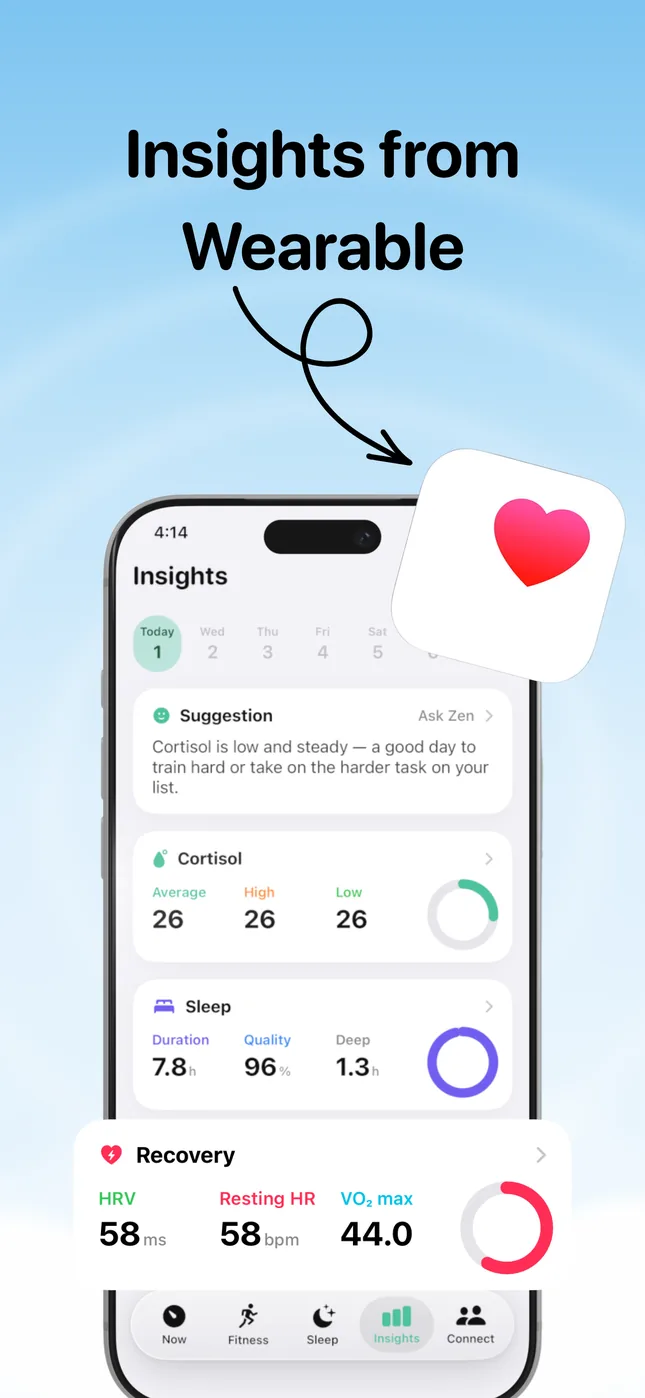
Connect the Health data you choose to share, inspect the inputs behind the score, and compare your sleep and HRV over time. View Cortisol+ on the App Store. Free to download; analysis requires a subscription or eligible trial. Review the current offer before subscribing.
Compare explanations, not just numbers
If two apps report different scores on the same day, their formulas, baselines or inputs may differ. That disagreement alone does not establish which is medically correct. Try the observation journal and evaluate whether the presentation helps you understand your routine without making you overinterpret a number.
Head-to-head guides: StressWatch vs Cortisol+, Bevel vs Cortisol+, Athlytic vs Cortisol+ and Welltory alternatives for Apple Watch.
Read the Welltory comparison, Apple Watch signal guide and Cortisol+ methodology.