Apple Watch Stress App Comparison Worksheet: 8 Checks
Compare Apple Watch stress apps using eight practical checks: data freshness, missing readings, explanations, subscriptions and privacy. Download the free worksheet.
Updated September 17, 2026 · By Cortisol+ Editorial
Compare stress apps by what you can inspect, not by which one gives you the best-looking score. Use this eight-check worksheet to record the same day in each app, then choose the presentation that answers your question. This is an editorial evaluation tool from Cortisol+, not a clinical accuracy test or a completed competitor experiment.
Download the blank comparison worksheet (CSV). Open it in Numbers, Excel or Google Sheets. There is no signup, and the download does not send your completed answers to us.
What should I compare?
| Check | Record this | Why it helps |
|---|---|---|
| 1. Your goal | Daily stress context, workout recovery or sleep patterns | A training tool and a stress timeline may answer different questions. |
| 2. Setup | App version, iPhone/Watch version and permissions you granted | Features and available inputs can depend on your setup. |
| 3. Data freshness | Time of the latest underlying reading and the period being summarized | An updated screen is not necessarily a newly recorded sample. |
| 4. Missing data | Whether absent readings are identified and explained | Missing data should not be interpreted as a low measurement. |
| 5. Explanation | Named inputs, baseline description and what the score means | A number is more useful when you can understand its basis. |
| 6. Daily context | Whether the view distinguishes exercise, rest and your own observations | How you feel and a model's interpretation are different records. |
| 7. Access and cost | Required plan, local price, trial eligibility and renewal period | Free to download does not establish free access to analysis. |
| 8. Data controls | Where to review permissions, privacy information and deletion options | You should understand the choices before sharing health data. |
How do I run a fair comparison?
- Choose one question and one date before opening the apps.
- Use the same device and comparable time windows. Record differences rather than hiding them.
- Mark each check as observed, unclear or unavailable. Do not turn an unknown into a failed feature.
- Keep screenshots privately if they contain personal readings. Record the page or screen that supports each observation.
- Choose by your recorded needs. Do not average scores from different apps or call the highest score the most accurate.
What does an explanation look like in Cortisol+?
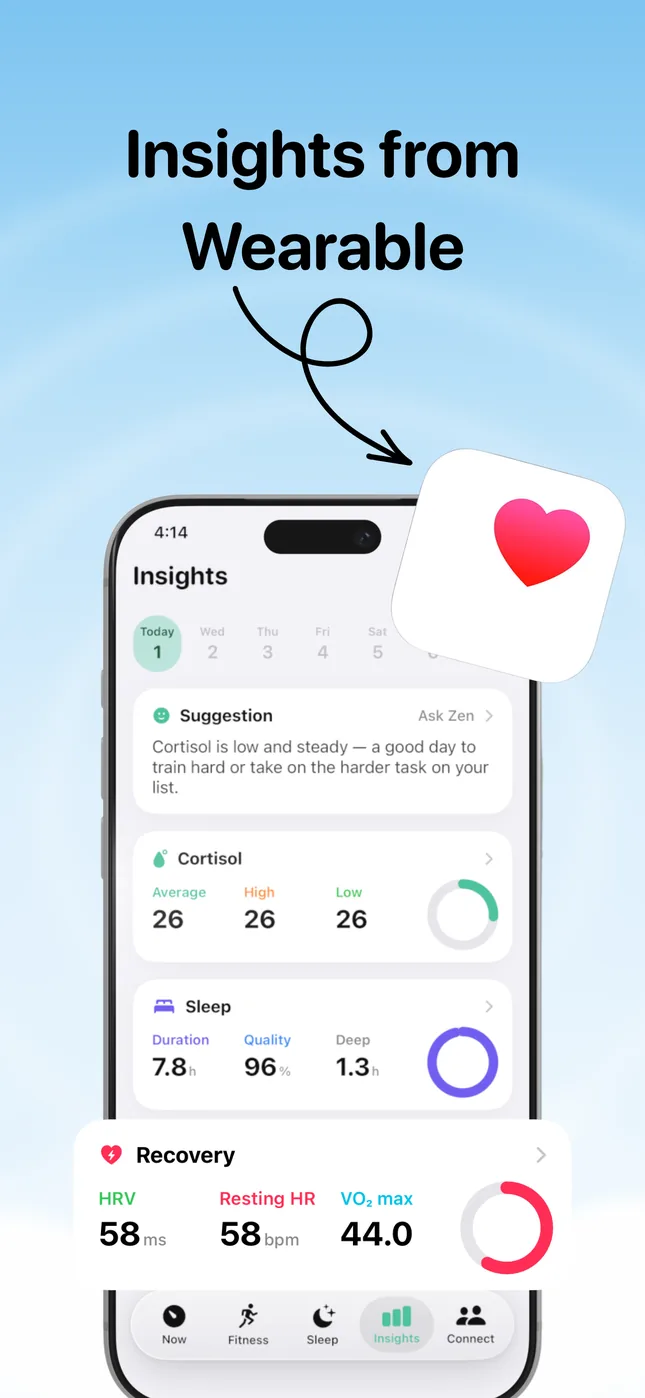
Read our score inputs and limitations and watch the captioned development-build walkthrough with labeled sample data. These explain our product; they do not prove accuracy against hormone tests.
Should I enable AFib History just to get more HRV readings?
No: do not enable it solely to improve a wellness app's data. Apple requires a physician diagnosis of atrial fibrillation for AFib History. It is not a general-purpose stress-tracking setting. Use the features appropriate to your medical circumstances and record the data your Watch actually provides.
Our comparison checklist does not require changing this setting. More samples alone would not establish that an app measures cortisol or interprets your stress accurately.
Which apps can I use this with?
Start with our source-linked comparison of Cortisol+, Welltory, StressWatch, Bevel and Athlytic. Official descriptions are a starting point, while your worksheet records what you personally observed. This checklist has no prefilled ratings or declared winner.
View Cortisol+ on the App Store. Free to download; analysis requires a subscription or an eligible trial.
Can this tell me which app measures cortisol accurately?
No. Comparing interfaces does not validate hormone measurements. If that is your goal, read what at-home cortisol testing involves. For a separate record of sleep and how you feel, use the free stress and sleep journal.