Can Apple Watch Measure Cortisol? Stress & HRV Guide
Apple Watch can't measure cortisol directly — but its HRV, heart rate and sleep are what cortisol-tracking apps actually read. See what each signal means, its limits, and how to find your data in Apple Health.
Updated September 16, 2026 · By Cortisol+ Editorial
Can Apple Watch measure cortisol?
No. Apple Watch does not directly measure cortisol. It records signals such as heart rate, heart rate variability and sleep that apps can use to describe stress and recovery patterns. A wearable wellness score is different from a laboratory cortisol result.
If you searched for “Apple Watch cortisol” or a cortisol tracker app, this distinction matters: Cortisol+ helps you explore wearable trends, but cannot tell you how much cortisol is in your blood, saliva or urine.
What the Watch records, and what it cannot establish
| Signal | What is recorded | Possible use | Limit |
|---|---|---|---|
| Heart rate | Beats per minute; background samples and workout measurements | See activity and resting patterns | A faster pulse has many causes |
| HRV | SDNN, a measure of variation in beat intervals | Compare readings with your own history | Not a cortisol concentration or diagnosis |
| Sleep | Estimated time asleep and supported sleep stages | Review sleep alongside daytime wellbeing | Does not establish why you slept poorly |
| Wrist temperature | Overnight changes on supported models | Additional context for changes from baseline | Availability depends on model and settings; not a cortisol sensor |
Apple explains heart rate and HRV measurement, sleep tracking and nightly wrist temperature. Follow the instructions for your particular Watch and software version.
How do I check cortisol levels on Apple Watch?
There is no cortisol reading to open on Apple Watch. To explore the wearable signals used by stress apps, review your heart-rate, HRV and sleep records instead. Keep those observations separate from a hormone-test result.
- On your iPhone, open Health and search for Heart Rate Variability. Review the available samples and their timestamps.
- Review Resting Heart Rate and Sleep over comparable dates. Check which device supplied the data.
- If a reading is missing, use the HRV troubleshooting checklist before interpreting an app score.
- For an organized view, explore what a cortisol tracking app does and inspect its underlying inputs.
Apple's heart-rate documentation explains the optical sensor and model-dependent features. Those readings are not a hormone assay; cortisol testing uses a biological sample.
Does Apple Watch have a stress score?
Apple's Mindfulness features support breathing, reflection and recording your State of Mind. A mood check-in is your own report, while a third-party stress score is an interpretation of sensor data. These describe different things and may not agree.
Cortisol+ combines available signals into its own wellness score. Other apps use different inputs and formulas, so a 60 in one app should not be assumed to mean the same thing as a 60 in another.
How do I start tracking stress with Apple Watch?
Begin with the recorded data: check HRV and heart-rate history in Apple Health, then review whether sleep is being recorded. Add an app when you want those signals organized into trends or a summary. In Cortisol+, the useful next step is to inspect the score's input breakdown and compare it with how you felt that day.
Download Cortisol+ for iPhone to explore your permitted Apple Health data. Analysis requires a subscription or eligible trial. If you are comparing options, our five-app guide covers Cortisol+, Welltory, StressWatch, Bevel and Athlytic.
How to explore your readings with Cortisol+
- Download Cortisol+ on a compatible iPhone and connect your Apple Watch through Apple Health.
- Choose the Health permissions you want to grant. Missing permissions or limited wear time can reduce available data.
- Open the dashboard and examine the factors behind the score. Look at the HRV, resting heart rate and sleep records, not only the summary number.
- Compare readings over time with notes about sleep, activity and how you feel.
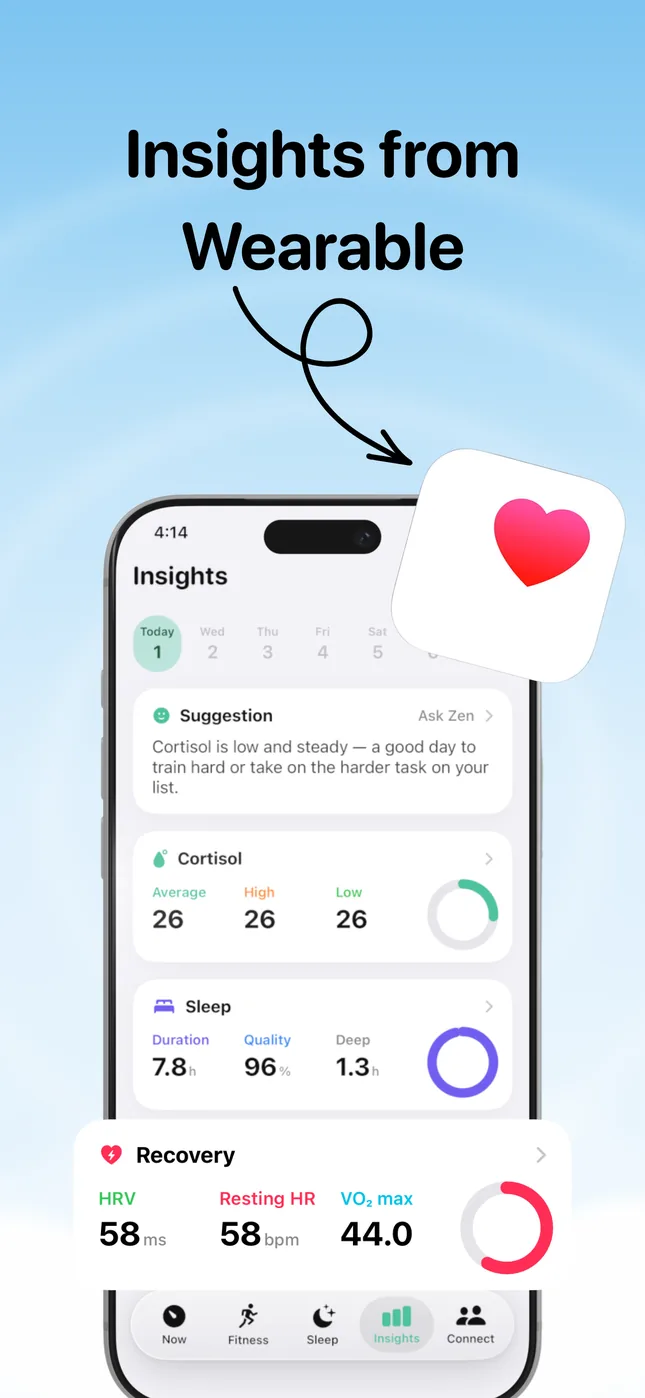
Read the full methodology, weights and limitations or explore Cortisol+ HRV stress monitoring. The app is free to download; analysis features require an active subscription or an eligible trial. Check the offer shown in the app for current terms.
Watch the app: dashboard, inputs and sleep
This 70-second walkthrough records the real app in an iPhone Simulator. All readings are sample data. It was recorded on September 9, 2026 in development version 5.0.2 (12), on iOS 26.5. Screens and wording may differ from the current App Store release. This demonstrates the interface; it is not a test of Watch accuracy or a customer's result.
Read the walkthrough transcript
0:00–0:10: This is the real Cortisol+ app in an iPhone Simulator. All readings are sample data from a development build.
0:10–0:22: The dashboard's 26 is a software wellness score. The “Low” label is not a measured cortisol level.
0:22–0:34: The detail view shows example inputs: HRV 58 ms, sleep 7.8 hours and resting heart rate 58 bpm.
0:34–0:45: The bars show saved example readings at different times. Changes in this score do not establish a hormone change.
0:45–0:58: Back on the dashboard, open the Sleep tab to inspect sleep duration, timing and stages.
0:58–1:10: Development fixtures can differ between these screens. Sleep estimates do not establish why sleep changed.
Some labels in this older development build describe a person's recovery too confidently. Interpret them as software-generated labels, not established facts about your body. Our current methodology and limitations explain that distinction.
Why readings can be missing or change unexpectedly
If your latest sample is missing, follow our Apple Watch HRV troubleshooting guide to compare Apple Health timestamps, check app permissions and review watch settings.
Sampling frequency depends on the signal, Watch model and settings, and data must sync to Apple Health before the app can use it. Movement, fit, charging, permissions and software settings can affect recording. Exercise, illness, alcohol, medication, breathing and time of day can also influence HRV and heart rate. These are reasons to check context, not assume every change represents psychological stress.
Wearable stress versus cortisol testing
Clinical cortisol tests use blood, saliva or urine, with timing and interpretation matched to the question a clinician is investigating. HRV cannot confirm or rule out a hormone disorder. Seek care for persistent or concerning symptoms rather than using a Watch score to decide whether a hormone test is necessary.
For a practical next step, use our free observation journal. For the underlying signal, read HRV on Apple Watch and HRV ranges and measurement methods.
Explore the questions on Perplexity
We asked Perplexity about Apple Watch cortisol-tracking apps and using HRV and sleep to understand stress patterns. Read the shared conversations, exact prompts and our source notes. These are AI answers requested by the Cortisol+ team, not independent product reviews.
Three questions before trusting a cortisol tracker app
- Is this a sensor reading or a calculated score? Look for named inputs and units. A 0–100 wellness score is not a hormone concentration.
- Can you inspect the underlying data? Check timestamps and missing inputs before interpreting the summary. Start with our overnight HRV checklist.
- Does the explanation acknowledge uncertainty? A useful app should explain its assumptions and avoid turning a change in HRV into a diagnosis. Alcohol and overnight HRV is one example where context matters.
Can an app calculate cortisol from HRV?
An app can calculate an estimate or wellness score from HRV, but displaying a number does not establish that it accurately measures your cortisol. Cortisol+ has not established clinical accuracy against cortisol testing. Review the methodology before interpreting its results.
Which Apple Watch stress app should I choose?
Compare the data explanation, permissions and subscription offer, not just the score's color. Our Welltory versus Cortisol+ comparison explains two approaches and discloses that we publish it. For a wider view, see the Apple Watch stress-app comparison.